Model Hub Overview
The Model Hub serves as a centralized repository for all models that have been registered and are available and ready for deployment and testing.
On this page, models are grouped under their associated projects.
- Each project is displayed as a row in the list.
- Clicking the arrow icon on a project row expands a dropdown list showing all models registered under that specific project.
For each registered model, the following details are displayed:
- Model Name – The name assigned during registration.
- Model Type – The underlying model architecture or algorithm.
- Created By – The user who registered the model.
- Time of Creation – Timestamp of when the model was registered.
- Status – The current deployment status (e.g., Staging, Deployed, Registered etc).
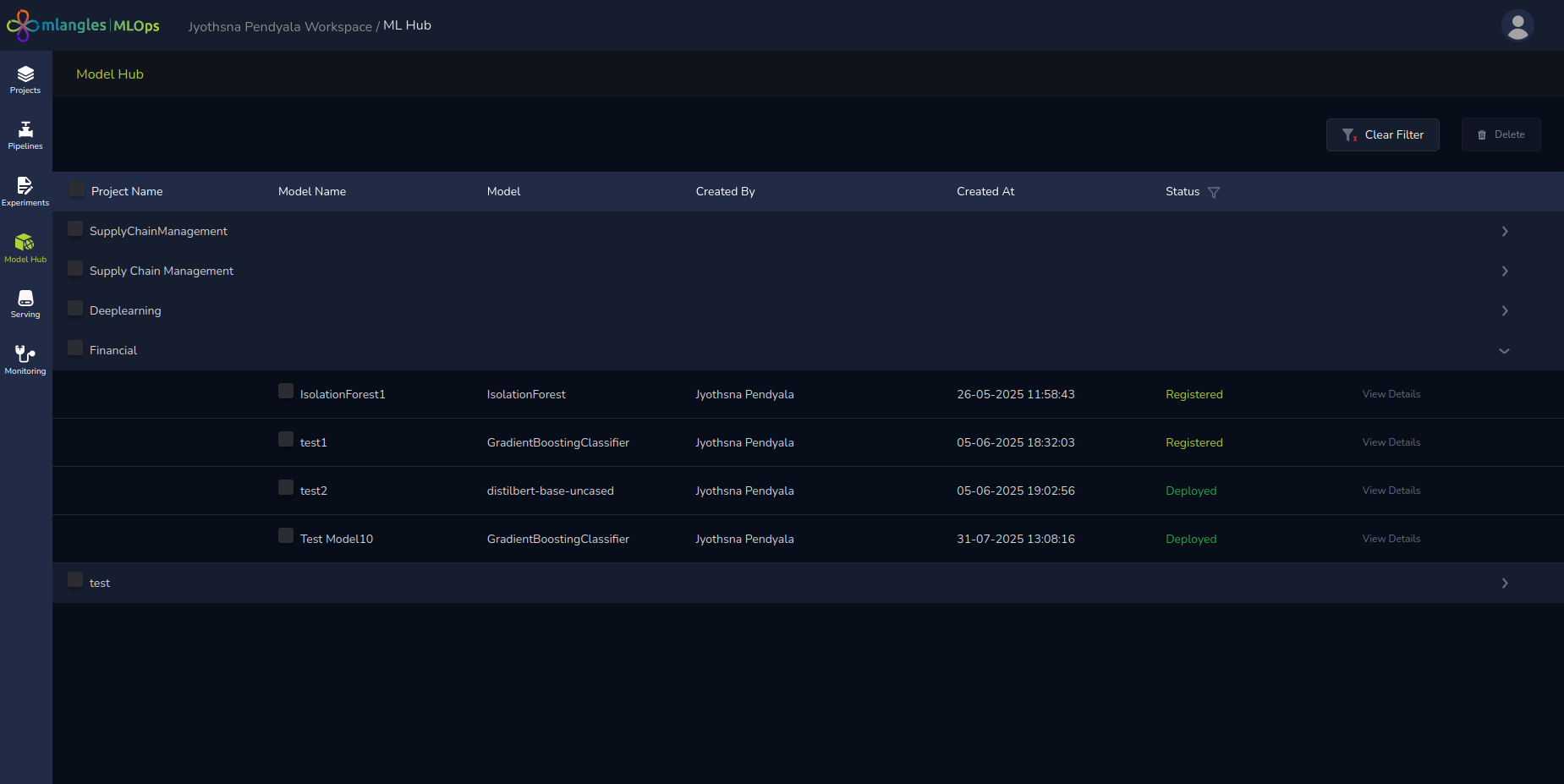
Figure 17 – ModelHub homepage
Model Status
Models in model hub can be in three stages:
-
Registered – All models that are sent to model hub and arent in active deployment have regsitered as the default status
-
Deployed – Models that are deployed and can be used have the status deployed
-
Staging – Models that are pulled down from deployment and moved back to being registered are done via the staging step.
Deployment
Models with a status of “Registered” must be deployed before they can be consumed by applications.
Deployment Process
- Click View Details next to the model you want to deploy.
- A Model Details window opens, showing all available information about the model.
- Click the Deploy button.
- Select the instance where the model should be deployed.
- The platform automatically:
- Creates a compute instance.
- Sets up the model.
- Generates a server endpoint linked to the deployed model.
Once this process is complete, the model becomes available for consumption via its unique API endpoint.
Deployed Model Details
After deployment, the View Details button provides access to complete deployment information.
Key post-deployment features include:
- Secret Key – Automatically generated after deployment, used to authenticate API requests made to the model.
- API Access – The deployed model can be queried for:
- Model Features – Metadata and input structure details.
- Predictions – Model inference results.
To simplify integration, the platform provides ready-to-use request examples in:
- cURL – For quick command-line requests.
- Python Script – For programmatic interaction within applications.
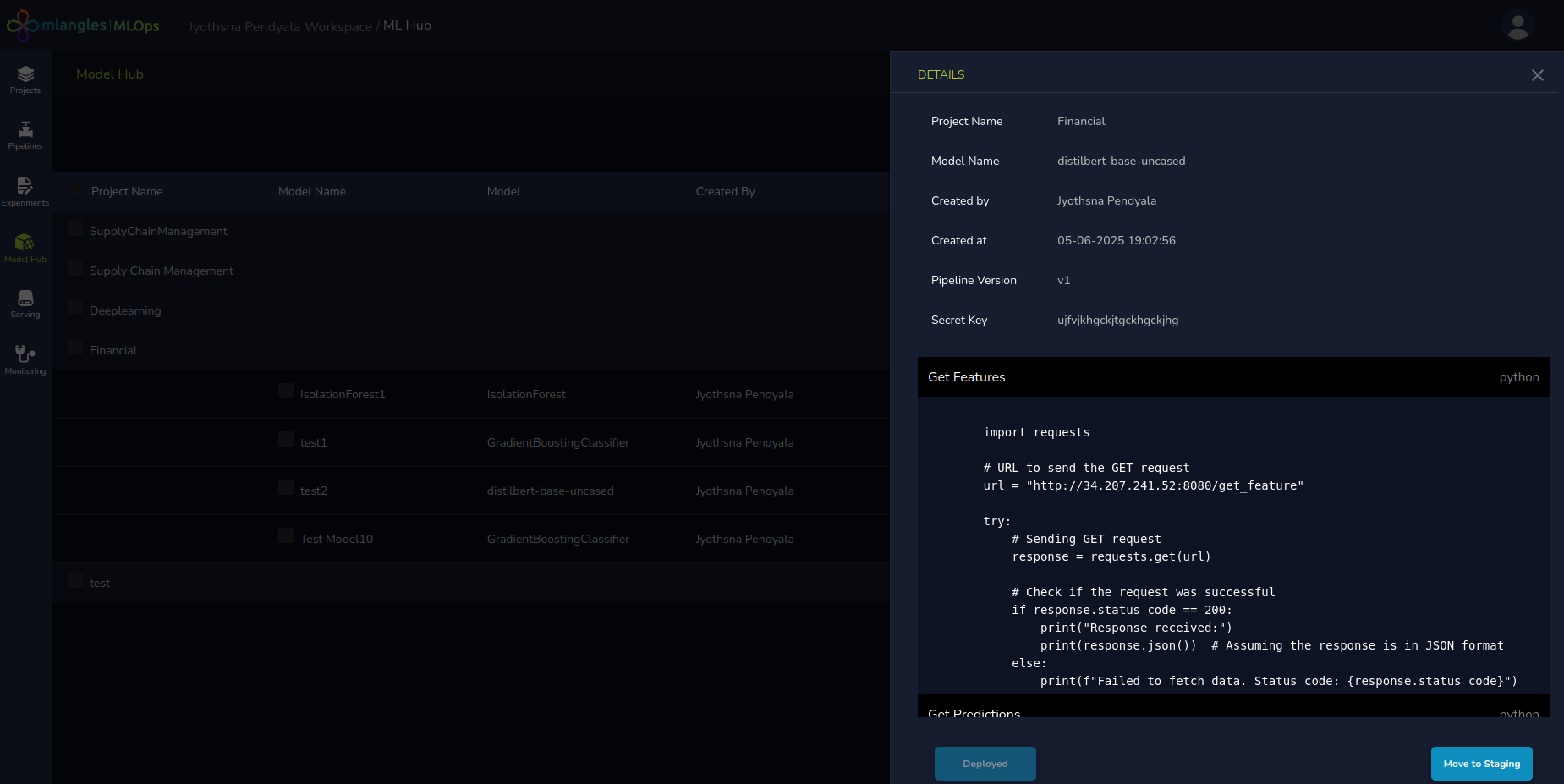
Figure 18 – Deployed details